 NexusPlay Arcade
NexusPlay Arcade
NexusPlay Arcade
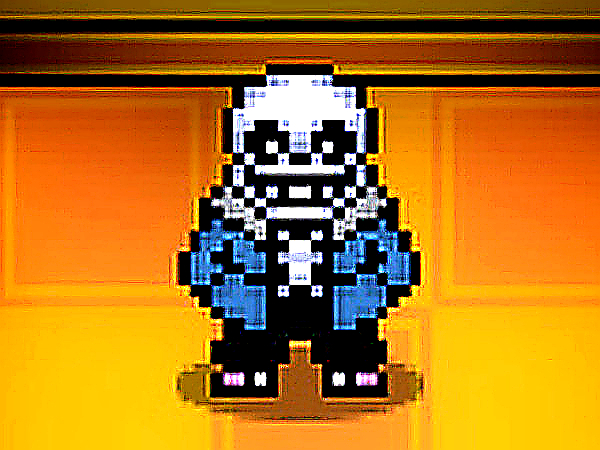
Bonetale captures the spirit of Undertale with its fan-made combat system. The nine levels and three difficulties offer a steady challenge. Unlocking characters and creating custom ones adds depth. The Badtime mode changes strategies, encouraging replay. Controls are responsive once learned. It is a solid choice for short gaming sessions.
Bonetale is a fan-created action game inspired by the popular role-playing game Undertale. In this game, you take on the role of the skeletal character Sans and must defeat Frisk, who is portrayed as an adversary. The combat system is advanced, featuring a variety of attacks and powers. The game includes nine levels spread across three increasing difficulty settings. An online shop allows you to unlock new characters, each with unique abilities, as well as new maps and multiple skins. Additionally, Bonetale lets you create your own custom character, adding a personal touch to the gameplay.
Use the arrow keys to move your character. Press Z to launch bones; holding the key longer creates more bones. Use X for a Gaster Blaster attack. Press C to knock back Frisk. Use V to use an item for healing. Press Space to dodge incoming attacks. Press Shift to activate Badtime mode, which boosts strength and changes attack patterns. In Badtime mode, Z turns bones blue, X fires a big Gaster blaster, C changes Frisk's gravity, and Space teleports you. Mastering these controls is key to progressing through the levels.
The game offers nine levels with three difficulty settings. A shop lets you unlock new characters, maps, and skins. You can create your own custom character. Badtime mode provides enhanced abilities and altered attacks. The combat system includes bones, Gaster Blasters, and dodging mechanics. Each character has unique skills that change gameplay.
Practice using each attack and dodge move to learn their timing and effects. Experiment with different characters to find one that suits your playstyle. Use healing items wisely during tough battles. Try Badtime mode to access stronger attacks and new strategies. Progress through difficulty levels gradually to build your skills without frustration.
Creative cursor mechanic and steady progression. Safe for all ages and easy to pick up.
Charming visuals and simple controls make this a relaxing MMORPG for short gaming sessions.
Engaging tactical puzzles with smooth card mechanics. Great for short gaming sessions.
Humorous farm setting with satisfying loot. Easy to pick up and play anytime.
Clean design and smooth gameplay. Great for short breaks and team play.

Fun martial arts RPG with clear progression. Safe for all ages and easy to pick up.
Procedural levels and responsive controls make each run fresh and enjoyable.
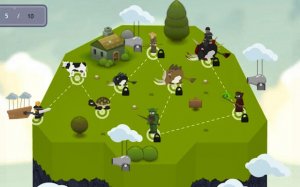
Engaging mix of base building and tactical combat. Good for strategy fans who enjoy resource management.

Deep story with meaningful choices. Turn-based combat and puzzles keep it engaging for hours.
Cooperative battles and character growth make this a rewarding team experience. Great for strategy fans.
A cooperative fantasy adventure with clear class roles and vibrant worlds. Great for family play.
A safe and charming online RPG with simple controls and deep customization. Great for all ages.