
Luminous Quest Puzzle
Opens in a play window — no download required.
Reviews
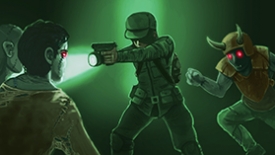
Luminous Quest Puzzle stands out for its clever use of light as a puzzle mechanic. The puzzles are well-designed, gradually increasing in difficulty without becoming frustrating. The cooperative mode is a highlight, fostering teamwork and communication. The art style is consistently bright and inviting, creating a stress-free atmosphere. Upgrades add a satisfying sense of progression. Overall, it is a polished, family-friendly game that offers hours of engaging, non-violent entertainment.
Description
Core Puzzle Mechanics
Luminous Quest Puzzle centers on the interaction between light sources and the environment. Players must position glowing objects to illuminate hidden pathways, activate mechanisms, and reveal collectible orbs. The puzzles gradually increase in complexity, requiring careful observation and logical deduction. Some challenges involve reflecting beams across gaps, while others require timing the release of light to match moving targets.
Visual Design and Atmosphere
The game world is painted in soft, vibrant colors with a gentle glow effect that makes every scene feel inviting. Characters and creatures emit their own light, creating a sense of warmth and safety. Backgrounds feature starry skies, bioluminescent flora, and shimmering water. The art style is cheerful and cartoon-like, avoiding any dark or scary imagery, which makes it suitable for younger players.
Progression and Upgrades
As players collect luminous orbs, they can enhance their character's abilities. Upgrades may include improved movement speed, the ability to carry multiple light sources, or tools that let players manipulate light from a distance. These enhancements unlock access to previously unreachable areas, encouraging thorough exploration. The upgrade system is designed to be rewarding without being complex, keeping the focus on puzzle-solving.
Cooperative Play Elements
The game includes optional cooperative puzzles that require two or more players to work together. For example, one player might hold a light source while another uses it to reveal a hidden switch. Communication and coordination are key to solving these shared challenges. The multiplayer mode is designed to be positive and supportive, with no competitive elements that could cause frustration.
Tips for New Players
Take time to examine each area from different angles, as light can reveal hidden objects. Pay attention to the direction and intensity of light sources, as they often indicate the solution to a puzzle. Collect every orb you find, as they are essential for unlocking upgrades. If you get stuck, try moving a light source to a different position or asking a teammate for help.







Comments
Sign in to leave a note
You must be logged in before posting a review or rating.
No account? Create one
No comments yet. Be the first to comment!