
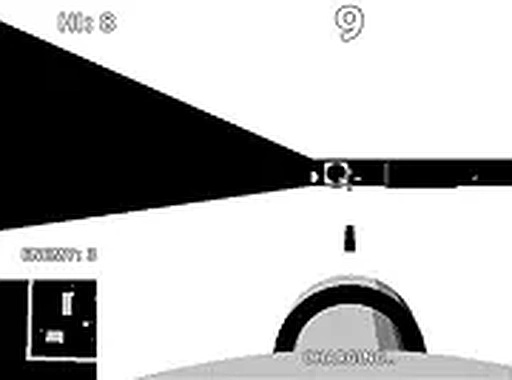
Defender Drive Challenge
Opens in a play window — no download required.
Reviews
Defender Drive Challenge delivers a focused, high-intensity experience that respects your time. The 60-second rounds are perfect for quick sessions, and the increasing difficulty keeps you coming back. The monochrome display is a smart stylistic choice that enhances visibility during fast action. Controls are tight, and the penalty system adds a layer of strategy beyond just shooting everything. It's a well-crafted arcade game that excels at what it sets out to do.
Description
Core Gameplay Loop
Defender Drive Challenge puts you behind the wheel of a vehicle navigating a two-tone display. Your primary goal is to hit as many targets as possible within a 60-second window. Each successful hit adds to your score, and the pace intensifies as time ticks down. The simple premise makes it easy to pick up, but the escalating pressure keeps each session fresh.
Visual Style & Controls
The game uses a distinctive two-valued screen that gives everything a retro, high-contrast look. This design choice not only sets the visual tone but also helps players quickly spot targets and obstacles. You control the vehicle using keyboard inputs, with options for mouse or arrow keys for aiming. The controls are responsive, allowing for precise movements even during hectic moments.
Challenge & Progression
The 60-second timer creates a natural arc of tension. Early seconds allow for warm-up, but as the clock runs down, the frequency and speed of targets increase. A key mechanic involves enemy projectiles that, if they hit your vehicle, temporarily disable its ability to fire. This forces you to balance offense with defensive maneuvering. The game encourages repeated play to beat your personal best score.
Accessibility & Platform
Designed exclusively for desktop browsers, Defender Drive Challenge runs smoothly without any downloads or installations. Full-screen mode is available for a more focused experience. The controls support both keyboard-only and keyboard-plus-mouse setups, accommodating different play styles. This makes it a convenient choice for quick gaming sessions during a break.









Comments
Sign in to leave a note
You must be logged in before posting a review or rating.
No account? Create one
No comments yet. Be the first to comment!