 NexusPlay Arcade
NexusPlay Arcade
NexusPlay Arcade

3D Exploration Demo - Adventure is a refreshingly simple prototype that lets you focus on visual quality. The textures and lighting are well-crafted, and the controls are smooth. It is a peaceful, objective-free experience that gives a genuine taste of the game's artistic direction. Ideal for players who appreciate game art.
3D Exploration Demo - Adventure is a lightweight, browser-based prototype that offers a first look at the visual style of an upcoming game. Built with WebGL technology, it runs instantly without any downloads or installations. The experience focuses entirely on visual presentation, allowing players to move through a basic 3D environment and observe textures, lighting, and artistic direction. There are no objectives, enemies, or puzzles to solve. The sole purpose is to let developers and players preview the look and feel of the world before full development begins. This demo is designed to be accessible to everyone, requiring no special skills or prior knowledge. It is a safe, family-friendly experience suitable for all ages. The simple controls and calm atmosphere make it an ideal way to appreciate early game art and design. Whether you are a developer seeking feedback or a curious player, this demo provides a peaceful, exploratory experience that highlights the potential of the final game.
Players use standard keyboard and mouse controls to navigate the 3D space. Movement is typically handled with the WASD keys, allowing you to walk forward, backward, and side to side. The mouse lets you look around freely, changing your viewpoint to observe the environment from different angles. There are no additional actions, combat, or interactive objects. The experience is purely about moving through the space and appreciating the visual details. Controls are intuitive and responsive, making it easy for anyone to start exploring immediately. No tutorials or instructions are needed beyond the basic controls. Simply enjoy the freedom of movement in this small virtual world.
Simple 3D exploration with basic movement controls. Lightweight WebGL technology enables instant access in a web browser. No downloads or installations required. Focus on visual presentation with detailed textures and lighting effects. Family-friendly and safe for all ages. Intuitive controls using keyboard and mouse. A calm, objective-free experience that showcases early game art. This demo is a practical tool for developers to refine visual design before full production.
Take your time to explore every corner of the environment to fully appreciate the textures and lighting details. Experiment with different camera angles by moving your mouse to see how light interacts with surfaces. Since there are no objectives, the key to enjoying this demo is to relax and immerse yourself in the visual experience. This demo is also a great way to practice movement controls that may be used in future games.
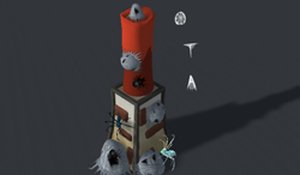
A cheerful tower defense game with colorful graphics and simple controls, perfect for family fun.

An emotional story with time travel, puzzles, and meaningful choices. Great for RPG fans.
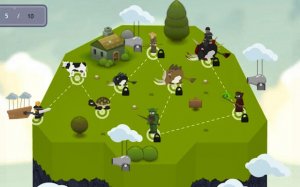
A balanced mix of city building and turn-based strategy with engaging hero recruitment.

A fun pixel platformer with endless variety thanks to procedural levels and responsive controls.

A fun, family-friendly martial arts RPG with risk-reward quests and a helpful auto-AFK training mode.

A fun, family-friendly team game with class-based combat and gold collection. Great for strategy fans.

A hilarious and engaging farm-themed action RPG with great loot and exploration.

A clever blend of chess and roguelike mechanics that offers quick, rewarding tactical puzzles.

A relaxing online RPG with simple controls and beautiful visuals, perfect for casual exploration and teaming up with friends.
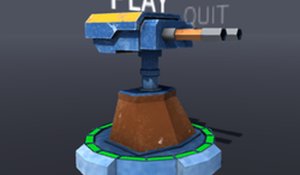
A fun and safe strategy game with 8 levels and a creative sandbox mode. Great for all ages.

Simple, random battles make each session unique. Perfect for quick, casual fun.

A charming paper-craft arcade game with simple taps and a cozy journey home. Perfect for relaxation.