 NexusPlay Arcade
NexusPlay Arcade
NexusPlay Arcade

Pink Roses Puzzle Online Game offers a pleasant jigsaw experience with six lovely anime images. The four piece counts provide good replay value, allowing you to start easy and progress to harder puzzles. The controls are responsive and the interface is clutter-free. It is a safe, non-violent game suitable for families. The lack of timers reduces stress, making it ideal for casual play. Overall, a solid choice for puzzle fans who enjoy cute artwork.
Pink Roses Puzzle Online Game is a jigsaw puzzle game featuring six original images of anime characters in serene settings with pink roses. The artwork is designed to be beautiful and appropriate for all ages, offering a gentle and uplifting experience. The core objective is to assemble each picture by fitting together scattered puzzle pieces. What makes this game unique is its combination of calming floral-themed artwork with adjustable difficulty, making it suitable for both quick relaxation sessions and longer, more focused puzzle-solving activities. The game runs directly in your browser with no downloads or sign-ups required, ensuring instant access for players of all ages.
To play, browse the six available image options and click one to select it. Then choose your preferred piece count from the available sizes. The puzzle board will appear with pieces scattered on the side. Click and drag each piece to its correct spot on the grid. You can rotate pieces using the rotate button if needed. A small preview of the complete image is always visible to guide you. The goal is to assemble the entire picture. There is no time limit or penalty, so you can work at your own pace. The controls are simple and intuitive, suitable for all ages.
Features include six unique anime-themed images with pink roses. Four difficulty modes let you adjust the challenge by selecting different piece counts: 16, 36, 64, or 100 pieces. The game requires no installation and works on any modern browser. It is completely free and family-friendly. The interface is clean and easy to navigate. Each puzzle can be replayed multiple times for practice or enjoyment.
Start with a smaller piece count, such as 16 or 36 pieces, to get familiar with the controls and the puzzle layout. Use the preview image as a reference to identify where pieces belong. Begin by sorting edge pieces and assembling the border, then work inward. Take your time and enjoy the process, as there is no time pressure. If you get stuck, take a short break and return with fresh eyes. Replaying puzzles can help improve your speed and pattern recognition.
• OS: Windows 10+, macOS 11+, iOS 14+, Android 10+ • Browsers: Chrome 100+, Safari 15+, Edge 100+, Firefox 100+ • Not compatible with Internet Explorer Tested on real devices – works as expected

Clean design and smooth gameplay. Great for short breaks.
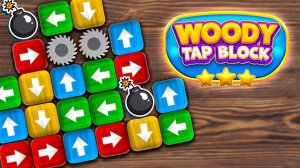
Clean design and smooth gameplay. Great for short breaks and logical thinking.

Clean design and smooth gameplay. Great for short breaks and casual fun.
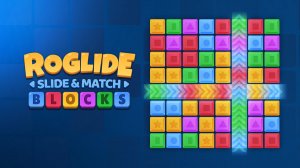
Innovative sliding mechanic with roguelike twists. Perfect for puzzle fans seeking a new challenge.
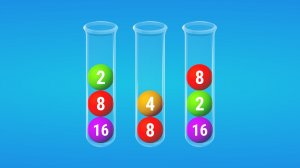
Clean design and smooth gameplay. Great for short breaks and strategic thinking.

Bright and simple puzzle game. Smooth aiming mechanics make it perfect for quick play sessions.

Simple yet engaging daily puzzles. Great for sharpening focus during short breaks.

Bright puzzles with smooth controls. Great for quick mental exercise and family fun.

Bright, simple memory game with Winx characters. Safe for kids and fun for all ages.

A relaxing hidden object game with clear visuals and a fair timer. Great for quick brain breaks.
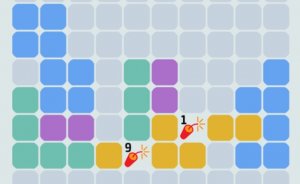
Clean design and smooth gameplay. Great for short breaks.
Clean design and smooth gameplay. Great for short breaks.