
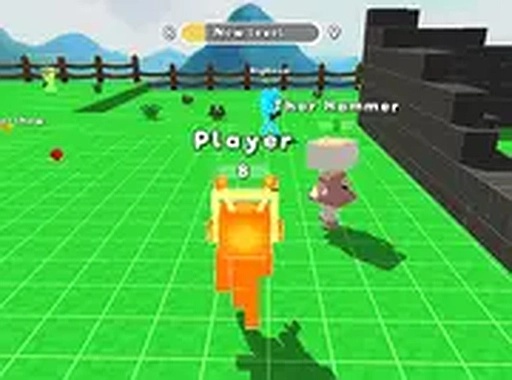
Block Forge: Open World Builder
Opens in a play window — no download required.
Reviews
Block Forge delivers a polished sandbox experience that prioritizes creativity and ease of use. The building controls are intuitive, making it simple to construct detailed structures. Exploring the world to find hidden crystals adds a rewarding sense of discovery. The community sharing feature is a nice touch, allowing players to show off their work and see what others have made. It runs well on both desktop and mobile without any downloads, which is a major convenience. A solid choice for anyone looking for a calm, creative game.
Description
Core Building Mechanics
At the heart of Block Forge is a straightforward building system. Players collect visible resources from the environment and use them to place blocks. This allows for the construction of everything from small shelters to complex structures. The controls are simple, relying on taps or clicks, so players of all ages can start building right away. The focus is on creativity, with no strict goals or time limits.
Exploration and Discovery
The open 3D world is filled with areas to explore. As players move through the landscape, they can find special crystals hidden in various spots. Collecting these crystals unlocks new building items and temporary power-ups. This encourages thorough exploration and rewards curiosity. The world is designed to be safe and inviting, with bright colors and friendly visuals.
Community and Sharing
A built-in community feature lets players share their finished projects. Users can view creations made by others from around the world, gaining inspiration and new ideas. This social aspect adds a layer of motivation and connection. It also provides a way to showcase personal achievements without any competitive pressure.
Cross-Platform Accessibility
Block Forge runs directly in web browsers on desktop computers and on mobile devices. There is no need to download or install any software. Progress is saved automatically, so players can stop and resume whenever they like. The game also supports a full-screen mode for a more focused experience. This design makes it easy to play in short bursts or longer sessions.








Comments
Sign in to leave a note
You must be logged in before posting a review or rating.
No account? Create one
No comments yet. Be the first to comment!