 NexusPlay Arcade
NexusPlay Arcade
NexusPlay Arcade
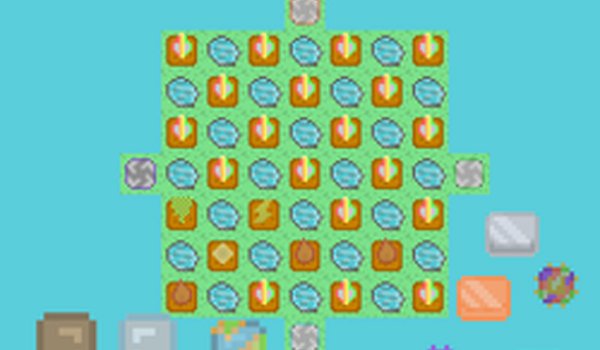
Universe Farm offers a unique blend of farming simulation and space exploration. The click-based mechanics are intuitive, making it easy to start building your cosmic farm. Upgrading creatures adds depth without complexity. The game is highly replayable as you expand your territory and discover new growth opportunities. Its cheerful visuals and calm pace make it perfect for unwinding after a busy day. A solid choice for casual gamers seeking a positive, creative escape.
Universe Farm is a delightful online game that combines farming with space exploration. You start with a small plot of land and use your tools to break blocks, create farmland, and plant seeds. As you progress, you can upgrade creatures and expand your territory beyond the sky. The game offers a relaxing yet engaging experience for players of all ages, with colorful graphics and easy-to-learn controls. It invites you to enjoy a peaceful journey of growth and discovery.
To play Universe Farm, you use three main actions. First, click the Pickaxe to break blocks and make your space bigger. You can also break creatures with it. Second, use the Hoe to make or break farmland as needed. Third, use your Hand to plant seeds and upgrade creatures. Just click on the right tool and then click on the game area to perform each action. The goal is to expand your farm step by step until it reaches space. Keep clicking, planting, and upgrading to see your farm grow.
Simple click controls make the game easy to pick up. Creative space farm expansion lets you build beyond the ordinary. Creature upgrades add a layer of strategy and fun. Colorful graphics create a cheerful atmosphere. The game is suitable for all ages and offers a calm, rewarding experience.
You will enjoy Universe Farm because it offers a peaceful yet engaging way to relax. The combination of farming and space themes feels fresh and imaginative. Each click brings visible progress, making it satisfying to play during short breaks or longer sessions.
✅ Works on PC & Mobile | Recommended: Chrome / Safari / Edge

Clean design and smooth gameplay. Great for short breaks and family time.

Relaxing idle gameplay with a fun slow-motion feature. Easy to pick up and enjoy.

Clean design and smooth idle gameplay. Great for relaxing breaks.

Creative disguise mechanic and smooth controls. Fun for quick matches and all ages.

Bright and simple arcade fun. The upgrade system adds depth without complexity. Great for quick sessions.

Clean design and smooth gameplay. Great for short breaks and long-term fun.

Quick rounds and simple controls make this a perfect casual game. Great for short breaks.
Charming space farm game with simple controls. Relaxing and rewarding for all ages.
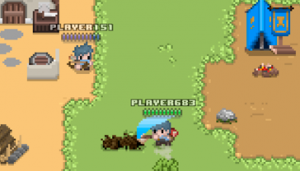
Team-based strategy with clear goals. Upgrades and classes add depth. Good for fans of resource management.
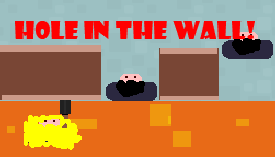
Simple controls and clever wall mechanics make each round exciting. Great for quick multiplayer sessions.
Clean clicker with steady progression. Great for quick play sessions.
Smart team-building and tactical play. A clean strategy game for quick sessions.